

Timing & Synchronization
Overview
 |
Synchronization Systems & Services |
 |
Clock Management |
 |
System Clocks and Frequency References |
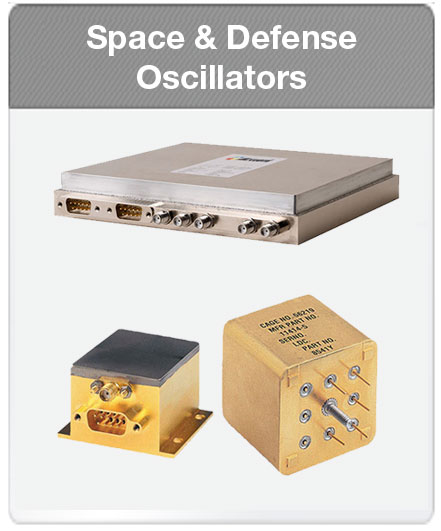 |
Precision Crystal and SAW Oscillators |
 |
Timing Accessories
|
 |
Embedded Atomic Clocks |
 |
Synchronization Services |
 |
GPS Disciplined Oscillators
|
 |
Switches and PHYs |
 |
Network Synchronization ICs |
Timing and synchronization are indispensable in our increasingly digital, networked world. Precise, accurate time enables virtually all infrastructures such as data centers, wired and wireless communications, financial exchanges, industrial networks, smart power grid, and other secure communications. Wireless networks, for example, rely on highly accurate timing and synchronization for smooth cell-to-cell transfers of the mass of voice, video and mobile data deluging the networks on a daily basis. Precise timing is similarly vital for financial networks processing billions of dollars in transactions daily.
Achieving highly accurate precision time is no easy feat from a technology perspective, so it’s important to find a resource you can trust. Our end-to-end timing solutions generate, distribute and apply precise time for multiple industries, including communications, aerospace/defense, IT infrastructure, financial services, industrial and more. Microsemi customers range from communications service providers and network equipment manufacturers to governments and their suppliers worldwide.
Explore our timing and synchronization portfolio options:
Leveraging Microsemi’s advanced portfolio of timing technologies, services and solutions, we enable our customers to build more reliable networks and systems supporting today’s precise timing standards, including:
- GPS-based timing
- IEEE 1588 Precision Time Protocol (PTP)
- Network Time Protocol (NTP)
- Synchronous Ethernet (SyncE) and
- Data-over-Cable Service Interface Specifications (DOCSIS) timing
Ready to learn more? Contact your local Microsemi sales office to find the right products and technologies for your timing needs.
Expertise
Our Precise Time Heritage
Microsemi, the world leader in network synchronization and precise time solutions, sets the world's standard for time. Microsemi’s timing and synchronization portfolio harnesses the breadth of experience and deep expertise of world-class teams.
Our end-to-end portfolio of precise time solutions includes:
- Timing & Synchronization Systems for highly accurate “precise time” distribution using today's precise timing standards: GPS-based timing, IEEE 1588 (PTP), Network Time Protocol (NTP), Synchronous Ethernet and DOCSIS® timing, as well as network supervision and management for timing problem notification, analysis and SLA compliance;
- Clock & Frequency References including hydrogen, cesium and rubidium standards, and quartz oscillators to generate the world's precision timing references
- Clocks & Timing ICs for clock management (clock synthesis, rate conversion, jitter attenuation and fan-out buffer timing), Optical Transport Network (OTN) timing solutions and packet timing, delivering field-proven high-performance time and frequency synchronization solutions for packet networks
Microsemi solutions are currently adopted in Tier 1 LTE/LTE-A small cells and have passed timing and synchronization deployment trials at major operators. Additionally, Microsemi IEEE 1588 Grandmasters are deployed in over 200 service provider networks globally.
Ready to learn more? Contact your local Microsemi sales office to find the right products and technologies for your timing and synchronization needs.


.png&w=300&h=157&q=100 "Industrial Ethernet Switching")


